

FF Multi Converter is a free, open-source simple graphical application written in Python and PyQt that can be used to convert audio, video, image and document files between all popular formats, using and combining other programs. It uses ffmpeg for audio/video files, unoconv for document files and PythonMagick library for image file conversions.
The goal of FF Multi Converter is to gather all multimedia types in one application and provide conversions for them easily through a user-friendly interface. I am personally using this application to convert images, audio and videos to many formats with many dimensions (sizes).
Install FF Multi Converter on Ubuntu
Add the FF Multi Converter PPA first:
$ sudo add-apt-repository ppa:ffmulticonverter/stable
Update the sources list:
$ sudo apt-get update
Install it using command:
$ sudo apt-get install ffmulticonverter
Run FF Multi Converter
Open up the converter from your Dash or Menu. The default interface should look like below.
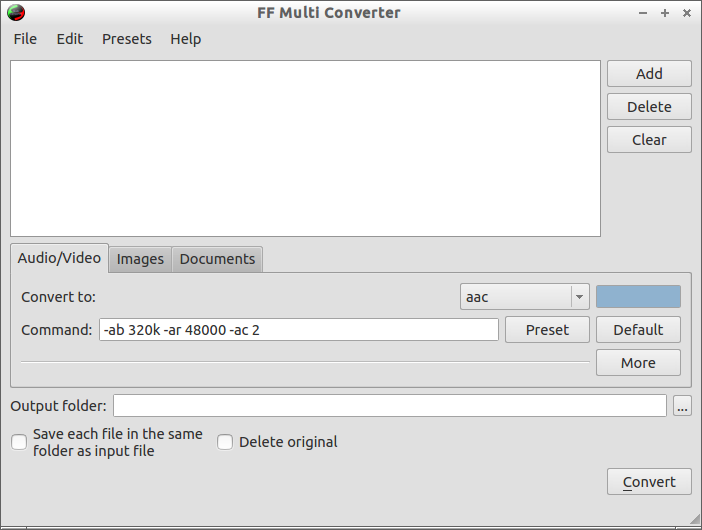 This application has three separate tabs called Audio/Video, Images and Documents to convert files, respectively. Also you define the desired preset, output format and output location etc.
Complete list of supported formats
Audio/Video formats:
- aac, ac3, afc, aiff, amr, asf, au, avi, dvd, flac, flv, mka, mkv, mmf, mov, mp3, mp4, mpg, ogg, ogv, psp, rm, spx, vob, wav, webm, wma, wmv
- And any other format supported by ffmpeg/avconv
Image formats:
- bmp, cgm, dpx, emf, eps, fpx, gif, jbig, jng, jpeg, mrsid, p7, pdf, picon, png, ppm, psd, rad, tga, tif, webp, xpm
Document file formats:
- doc -> odt, pdf
- html -> odt
- odp -> pdf, ppt
- ods -> pdf
- odt -> doc, html, pdf, rtf, sxw, txt, xml
- ppt -> odp
- rtf -> odt
- sdw -> odt
- sxw -> odt
- txt -> odt
- xls -> ods
- xml -> doc, odt, pdf
Converting files
Converting files with FF Multi Converter is lot easier. Just the select the files using Add button, set the output format in the Convert to drop-down box, select the desired presets using Preset tab and set the output location to save the converted files.
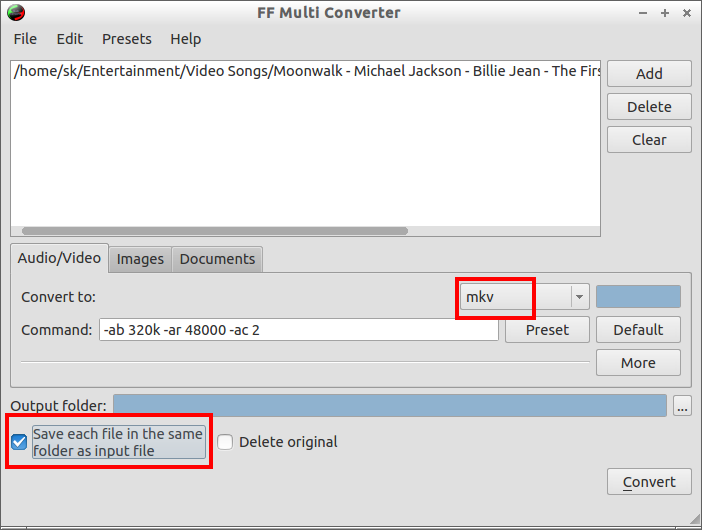 Let us convert a sample mp4 type video file to mkv type. I want to converted file in the source file location, so that here I select the check-box says “Save each file in the same folder as input file”. Once you setup all the required settings, click on Convert to start converting files.
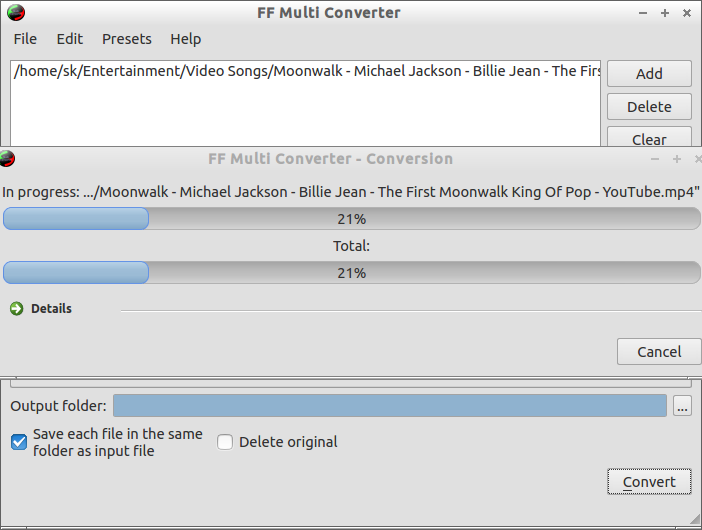 For converting image files, you can set the output dimensions. ie. Image size. For instance, if you want to convert a file which has the size 1280 x 700 to 500 x 300, then this can be also done with FF Multi Converter. For document files, you can easily convert files in 20+ different output formats without much effort.



