

SyncDrive is a Google Drive client application for Ubuntu and its derivatives developed by David Tavares, the core developer of Pear OS distribution. It is based on the Grive, an independent open source implementation of Google Drive client for GNU/Linux. It is derived from the original source code of Grive, No modification of the source code has been made. SyncDrive is simply a front-end for Grive.
You might want to check out the Pear OS 8 release notes here.
Features
SyncDrive syncs your files stored on your Google Drive on your Ubuntu / Linux Mint with ease. Some of the notable features of SyncDrive are given below.
– Automatic synchronization of your files.
– SyncDrive folder on your home directory.
– Keep an eye on your storage easily.
Install SyncDrive On Ubuntu/Linux Mint
Before installing, you need to add the following PPA to solve dependencies.
sudo add-apt-repository ppa:nemh/gambas3
Update the packages list using command:
sudo apt-get update
Now download the SyncDrive app from here depending upon your architecture. Hence i use 64bit Ubuntu, i downloaded the 64bit package.
Go to the directory where you downloaded SyncDrive and install it app using the following commands:
sudo dpkg -i syncdrive_0.9-1-amd64.deb
sudo apt-get install -f
Launch SyncDrive
Open it up either from Dash or Menu.
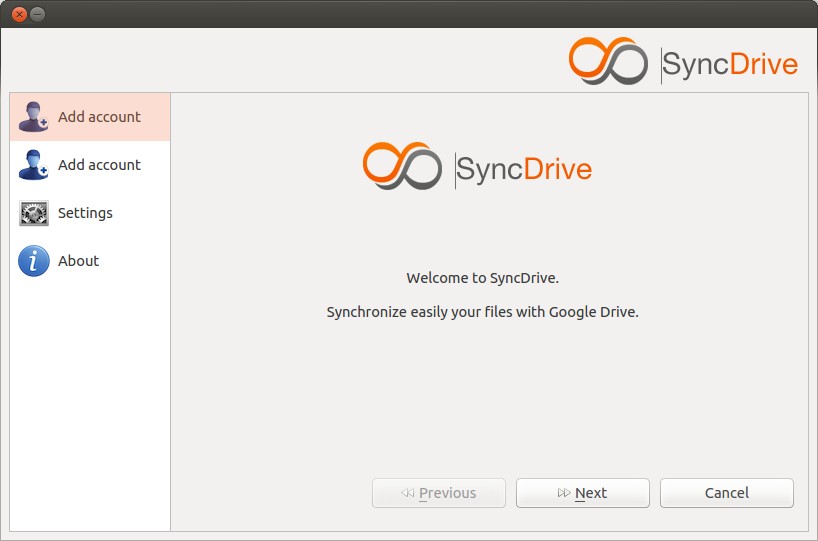
 This is how SyncDrive looks at first launch. Click Next to continue to add your Google drive.
 Click “Connect to your Google Account” to get the authorization key to your Google Account.
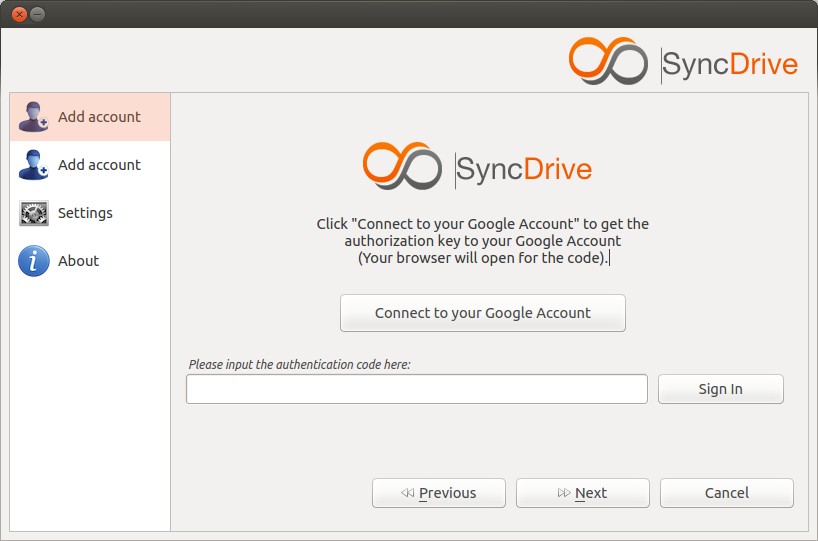 A new browser window will open. Log in to your google account and give permission Syncdrive to access your Google account.
 A new approval code will be generated. Copy the code shown in the browser.
 Paste the above code to your SyncDrive application and click Sign in. Now you Google Drive has been synchronized with SyncDrive. Click Next to continue.
 Enter the name for this account and click Synchronize now button to start synchronizing. Synchronization can take several minutes depending on the no of files to synchronize. Please be patient and get some coffee. After completing the synchronization click Next to continue.
 Click Ok to start Synchronization.
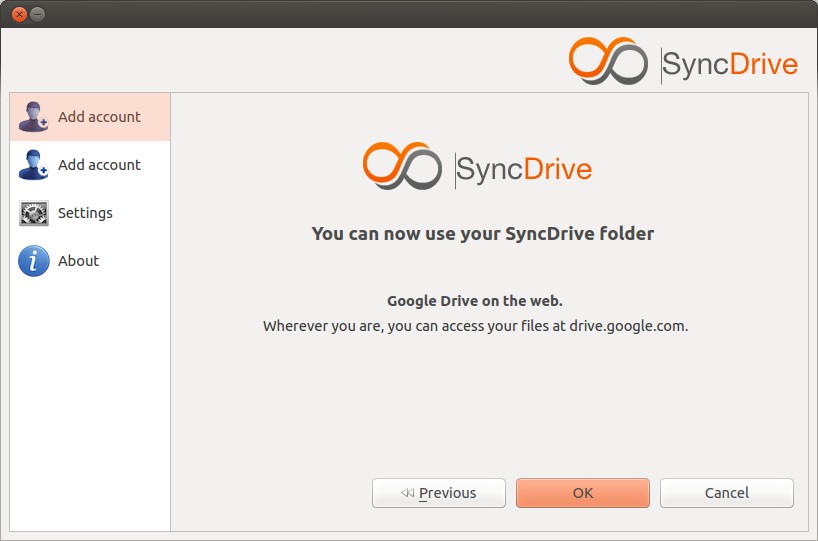 Synchronization is done. Now you can your SyncDrive folder. You can access your files at drive.google.com from wherever you are.
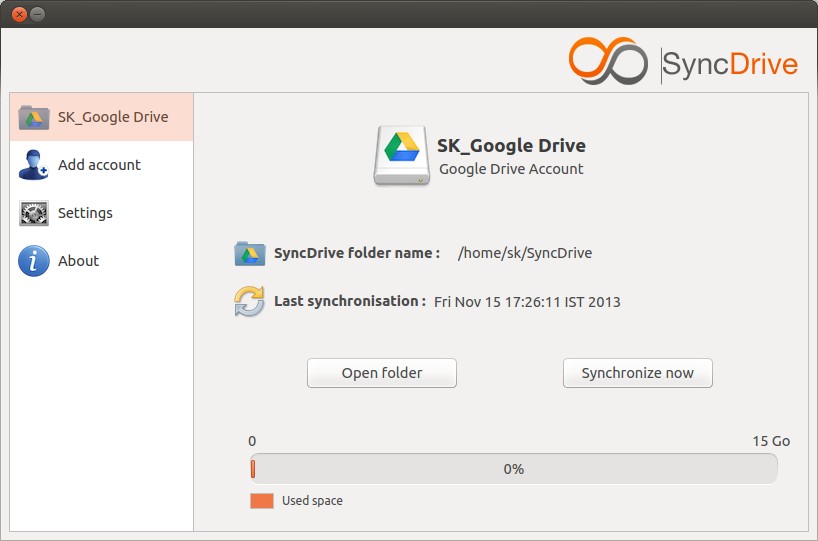 Now you’ll see that a folder called “SyncDrive” has been created on your home directory. Whenever files are added to SyncDrive folder, they will be automatically synchronized to your Google Drive.
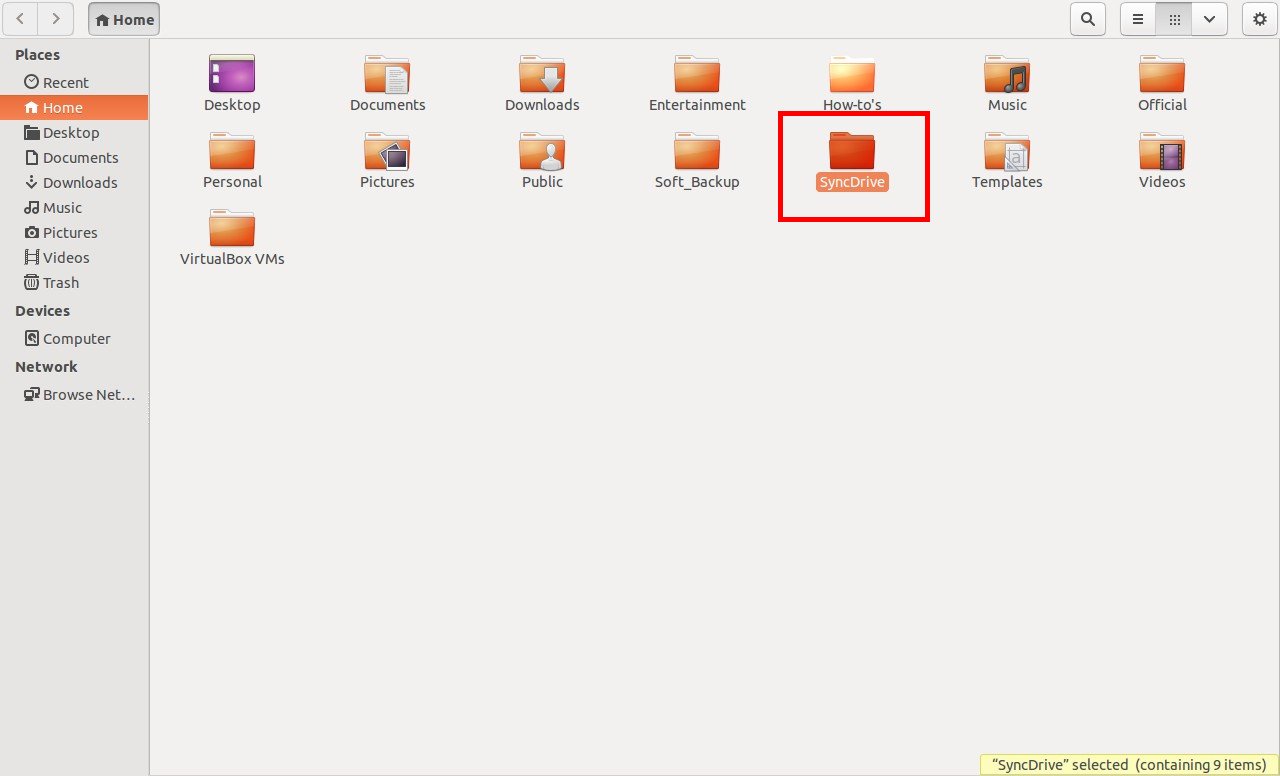 Just put your files and folders in SyncDrive folder that you want to synchronize with Google Drive and access it from wherever you are. Good Luck!
Cheers!



